Beyond monitoring,
complete transparency.
The ultimate replacement for Activity Monitor. Built for developers, security experts, and Mac power users — turning complex process data into actionable insights.
 ProcXray — Process Explorer
Process ▲ | PID ▼ | CPU % ▼ | Memory ▼ | Threads ▼ | User ▼ | Company ▼ | Path |
|---|---|---|---|---|---|---|---|
 | 910 | 3.2 | 600 MB | 24 | my_user | Docker Inc. | /Applications/Docker.app/Contents/MacOS/Docker Desktop |
 | 310 | 1.2 | 150 MB | 12 | my_user | Apple Inc. | /System/Library/CoreServices/Finder.app/Contents/MacOS/Finder |
 | 612 | 15.7 | 900 MB | 42 | my_user | Google LLC | /Applications/Google Chrome.app/Contents/MacOS/Google Chrome |
Google Chrome Helper | 614 | 5.2 | 200 MB | 14 | my_user | Google LLC | .../Google Chrome Helper |
Google Chrome Helper (GPU) | 635 | 3.1 | 180 MB | 10 | my_user | Google LLC | .../Google Chrome Helper (GPU) |
Google Chrome Helper (Renderer) | 622 | 7.4 | 315 MB | 12 | my_user | Google LLC | .../Google Chrome Helper (Renderer) |
 | 980 | 1.4 | 180 MB | 12 | my_user | George Nachman | /Applications/iTerm.app/Contents/MacOS/iTerm2 |
kernel_task | 289 | 1.5 | 145 MB | 184 | root | Apple Inc. | /System/Library/Kernels/kernel |
launchd | 1 | 0.1 | 12 MB | 4 | root | Apple Inc. | /sbin/launchd |
 | 1340 | 0.5 | 210 MB | 16 | my_user | Apple Inc. | /System/Applications/Music.app/Contents/MacOS/Music |
Node.js | 1105 | 4.2 | 320 MB | 11 | my_user | OpenJS Foundation | /usr/local/bin/node |
| 1200 | 2.1 | 80 MB | 9 | my_user | - | /Applications/ProcXray.app/Contents/MacOS/ProcXray |
 | 720 | 1.8 | 450 MB | 22 | my_user | Slack Technologies | /Applications/Slack.app/Contents/MacOS/Slack |
Spotlight | 482 | 0.2 | 75 MB | 8 | my_user | Apple Inc. | /System/Library/CoreServices/Spotlight.app/Contents/MacOS/Spotlight |
 | 1024 | 0.1 | 45 MB | 5 | my_user | Apple Inc. | /System/Applications/Utilities/Terminal.app/Contents/MacOS/Terminal |
 | 950 | 3.8 | 580 MB | 32 | my_user | Microsoft | /Applications/Visual Studio Code.app/Contents/MacOS/Electron |
WindowServer | 145 | 8.2 | 300 MB | 18 | _windowserver | Apple Inc. | /System/Library/PrivateFrameworks/SkyLight.framework/Versions/A/Resources/WindowServer |
 | 850 | 4.5 | 1.02 GB | 56 | my_user | Apple Inc. | /Applications/Xcode.app/Contents/MacOS/Xcode |
SourceKitService | 855 | 12.1 | 500 MB | 8 | my_user | Apple Inc. | .../SourceKitService |
swift-frontend | 862 | 8.5 | 650 MB | 4 | my_user | Apple Inc. | .../swift-frontend |
See what's behind every line of code
Deep integration with native macOS APIs to surface data Activity Monitor can't reach.
Smart Process Tree
No more struggling with complex process hierarchies. Toggle between flat list and tree view to clearly see parent-child relationships.
Deep Environment Insights
Extract launch arguments, working directories, and all loaded environment variables. Essential for debugging complex dev environments.
Window Spy Picker
Inspired by the Spy++ workflow: point the crosshair at any window, click, and ProcXray instantly jumps to and highlights its owning process.
Security & Compliance
Built-in code signature verification and entitlements inspector. Easily spot unsigned or suspicious processes to keep your Mac secure.
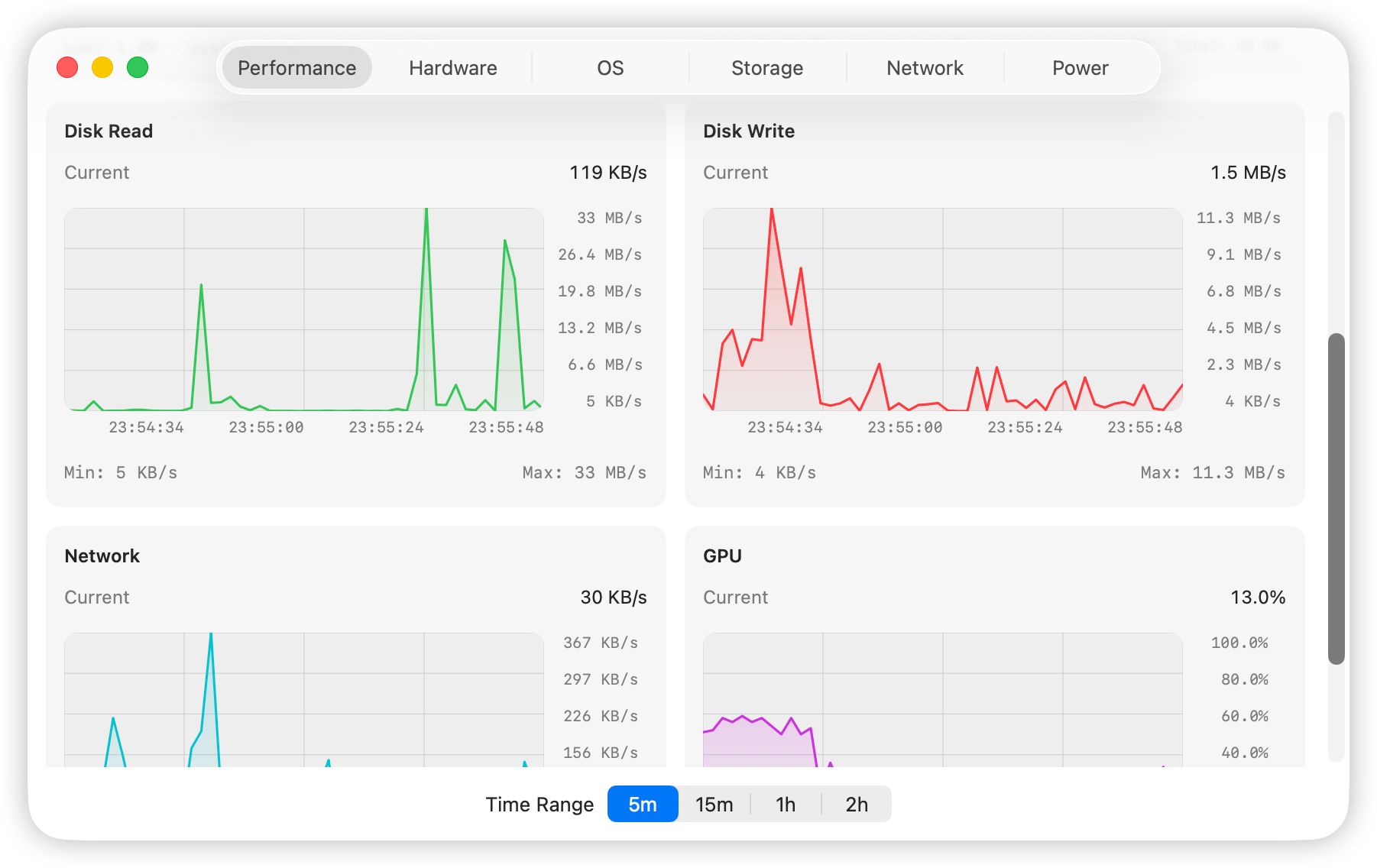
Real-time Performance Charts
Mini performance monitor in the sidebar. Track CPU, GPU, memory pressure, and disk I/O simultaneously with per-process trend tracking.
Dylib & Connection Monitor
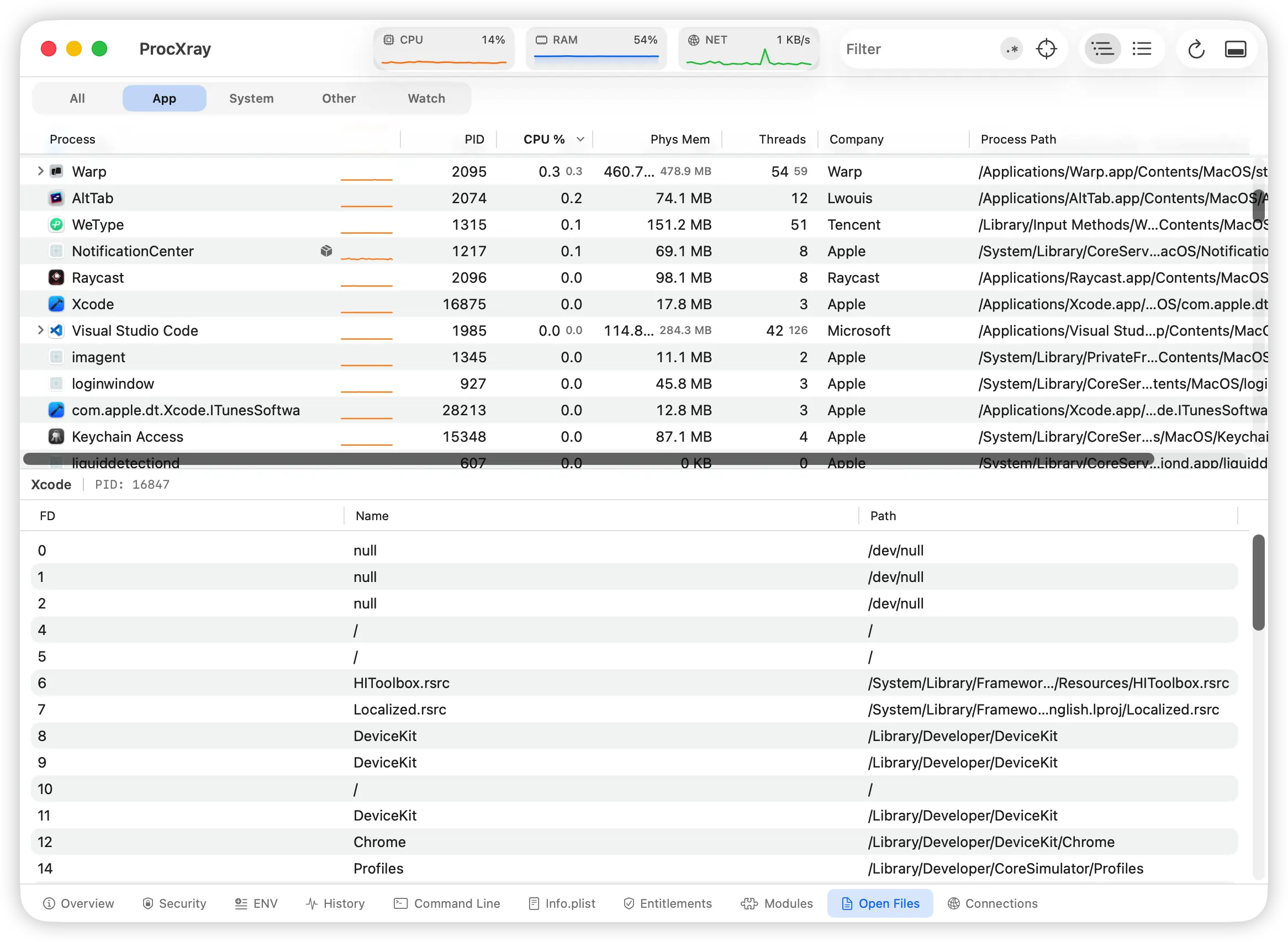
View all open file descriptors, listening ports, and dynamically loaded libraries (Dylibs) for any process in real time.
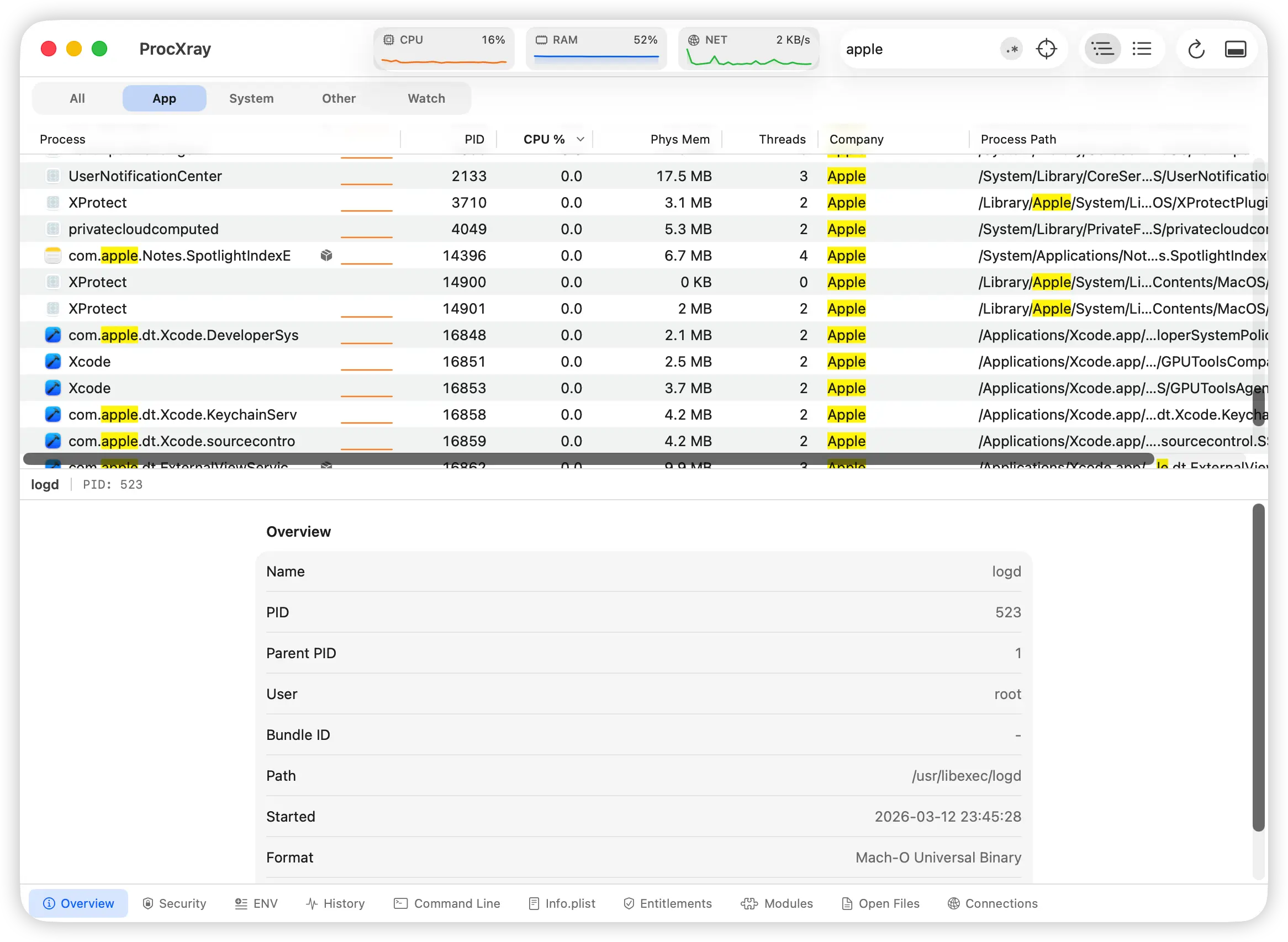
Real-time Regex Search
Filter the entire process list instantly with powerful regex patterns. Global search matches across process names, PIDs, command-line args, and paths — find what you need in milliseconds.
Process Lifecycle Tracking
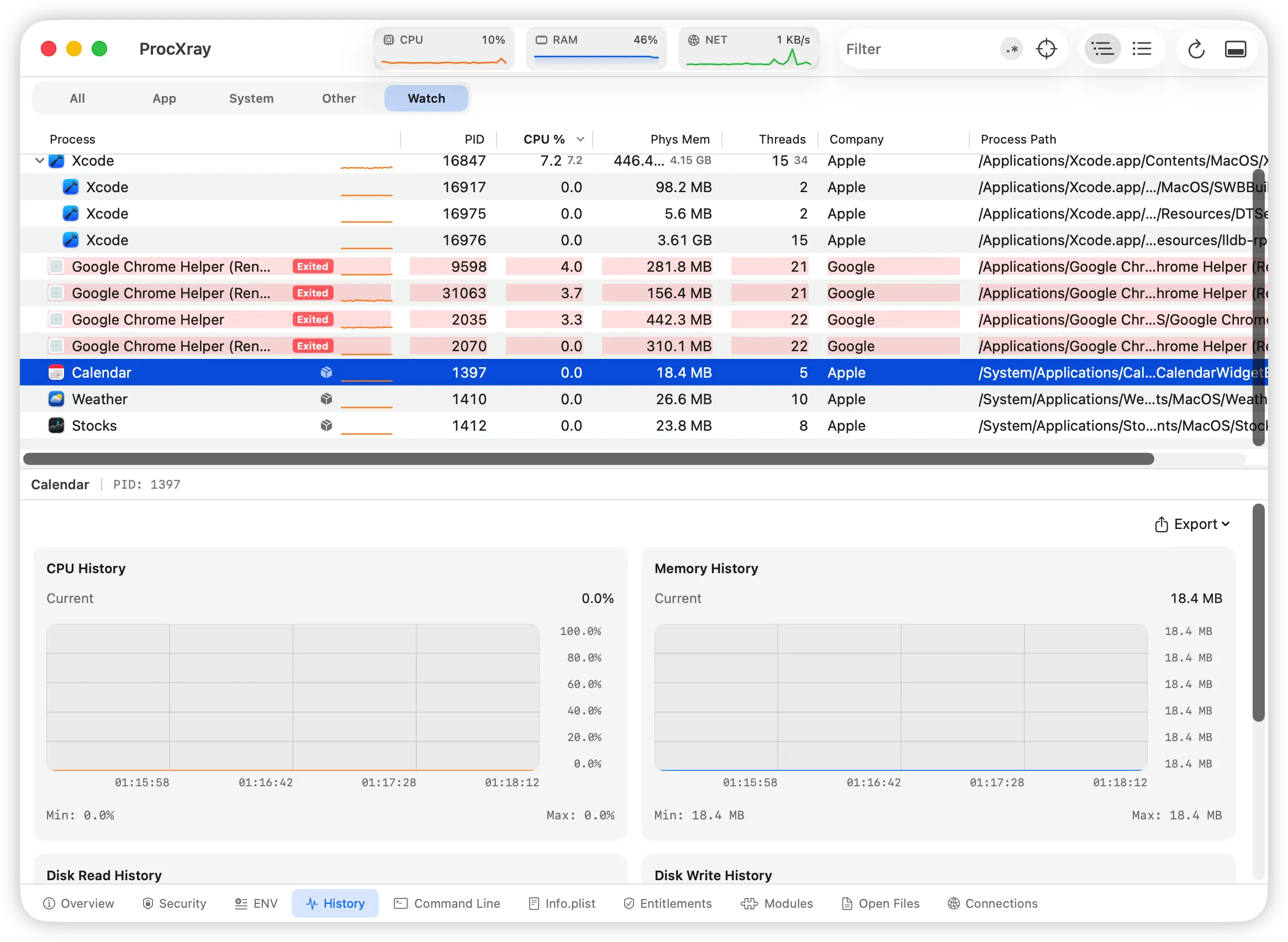
Newly spawned processes glow green; exited processes fade to red and stay visible. Never miss a transient helper or crash — every lifecycle event is highlighted in real time.
Rich Context Menu Actions
Right-click any process for instant access to inspect, signal, suspend, copy env, reveal in Finder, and more — all the power of the terminal packed into an intuitive menu.
See It In Action
Explore ProcXray's powerful features
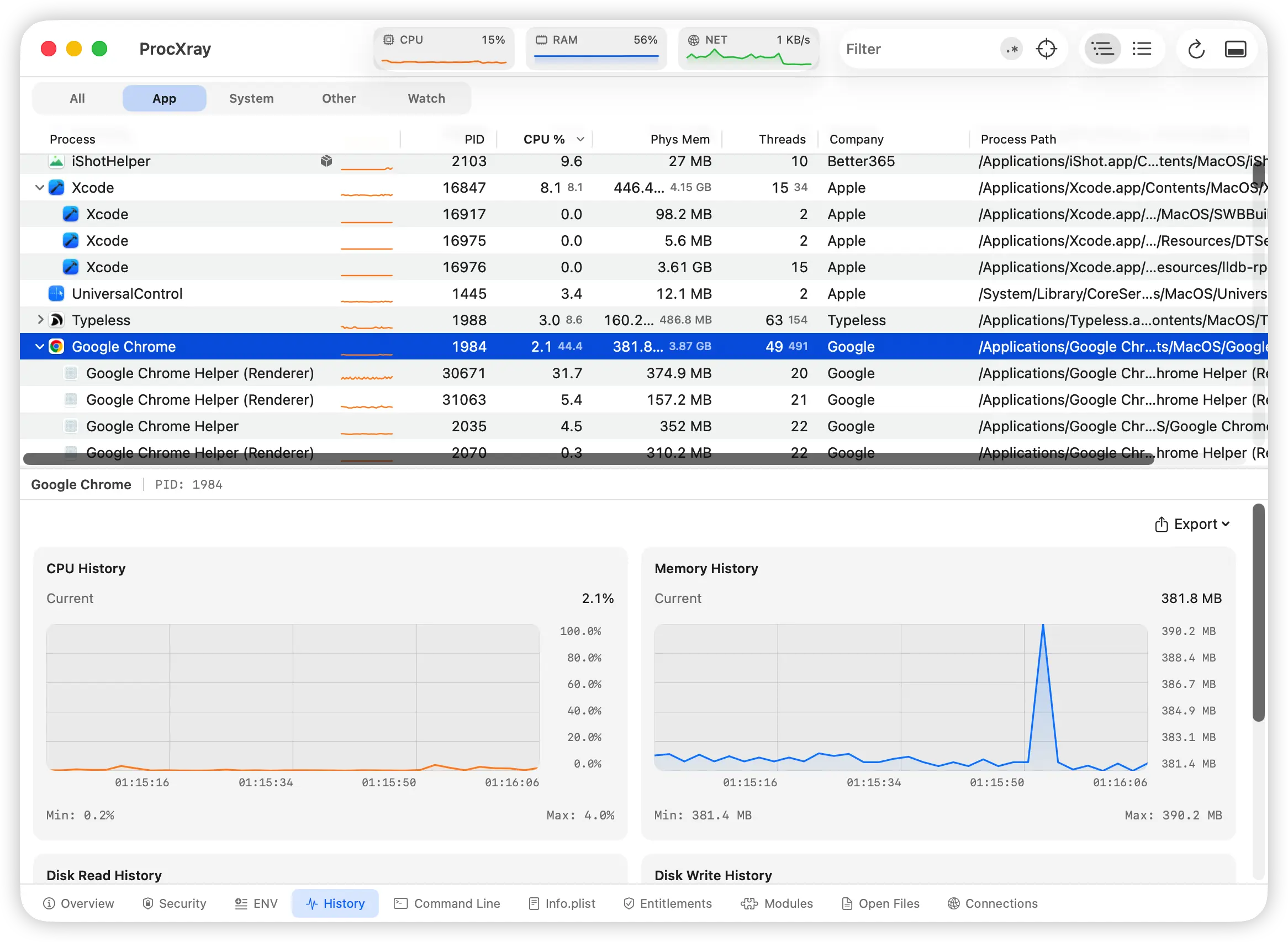
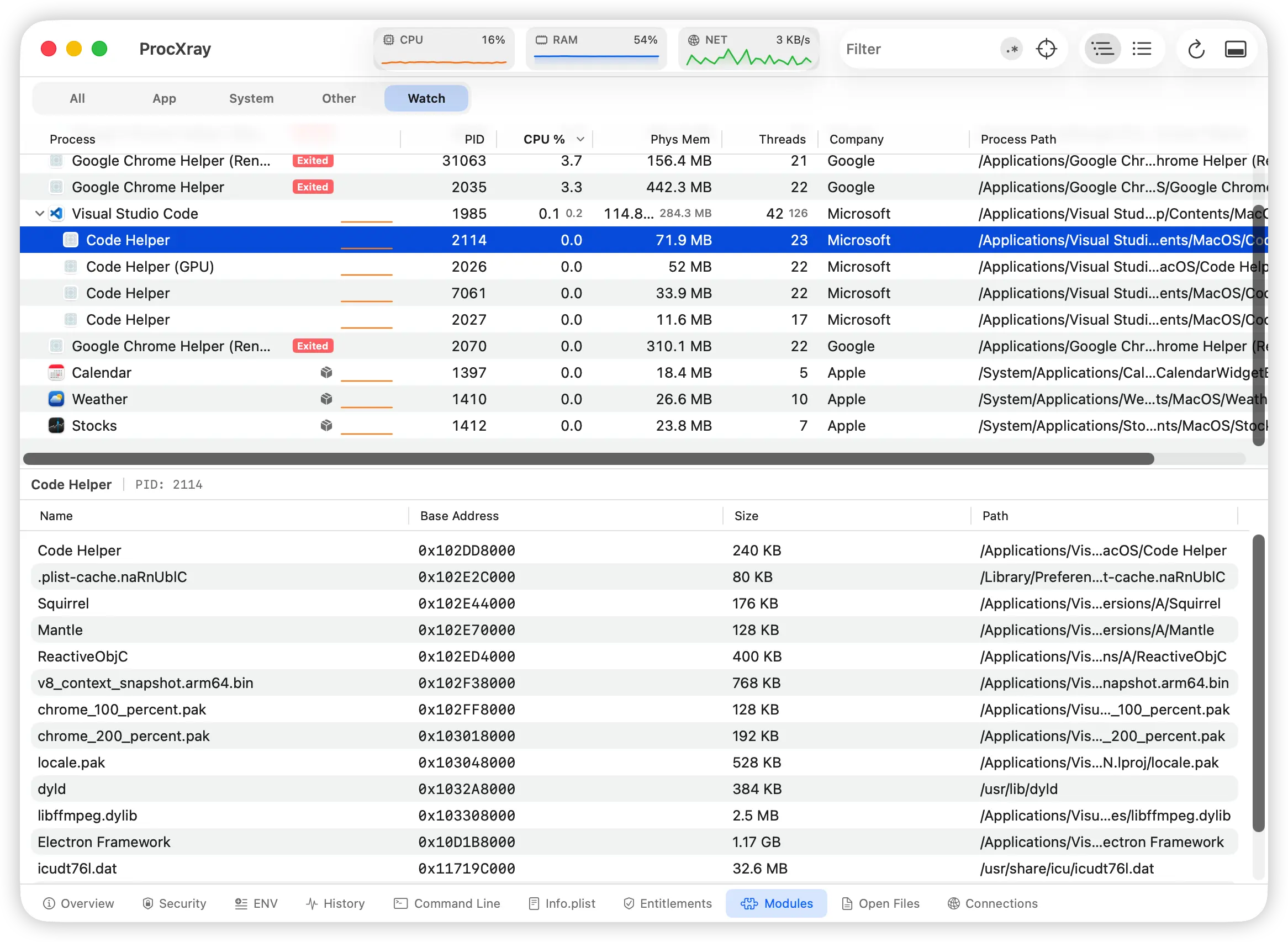
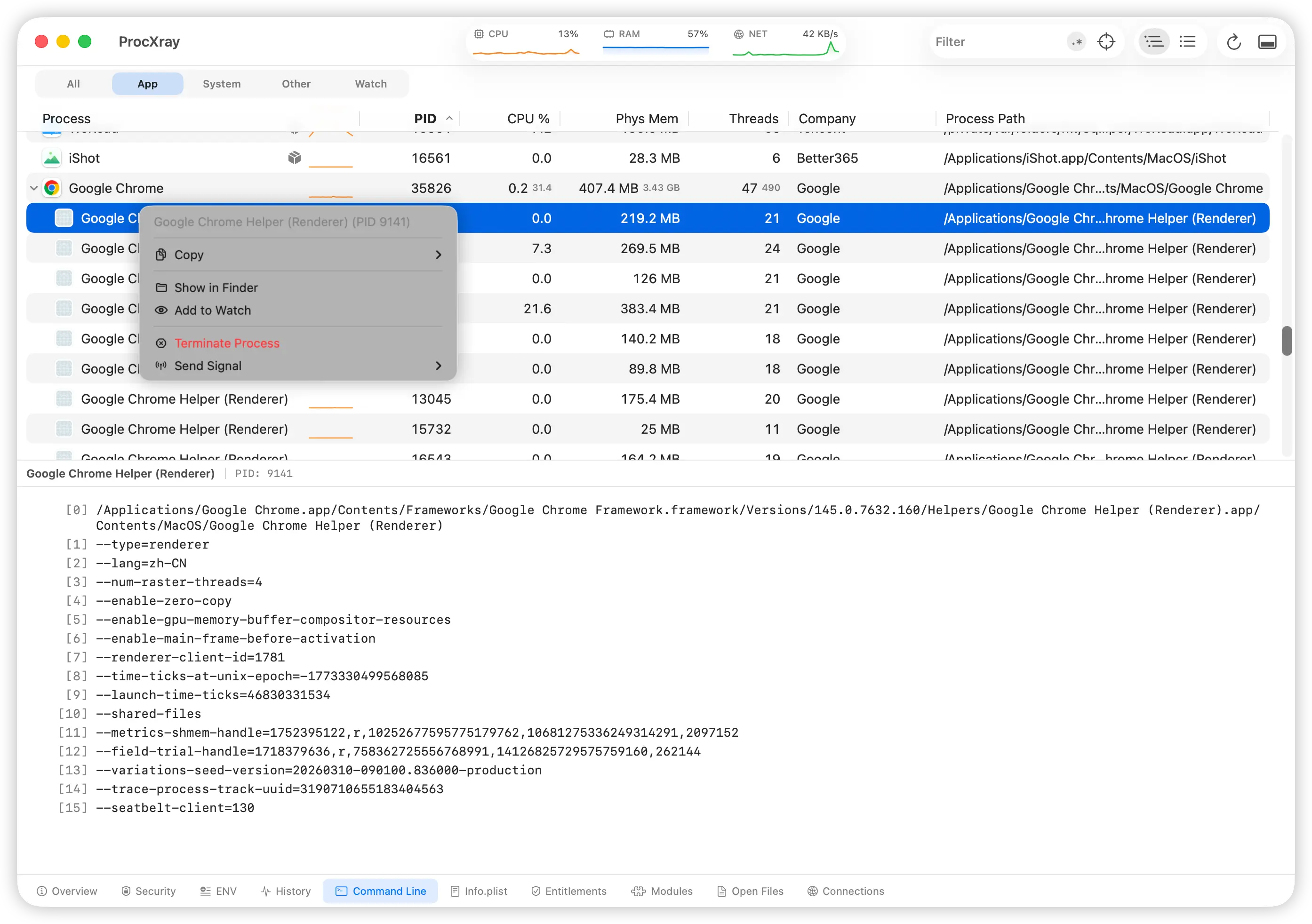
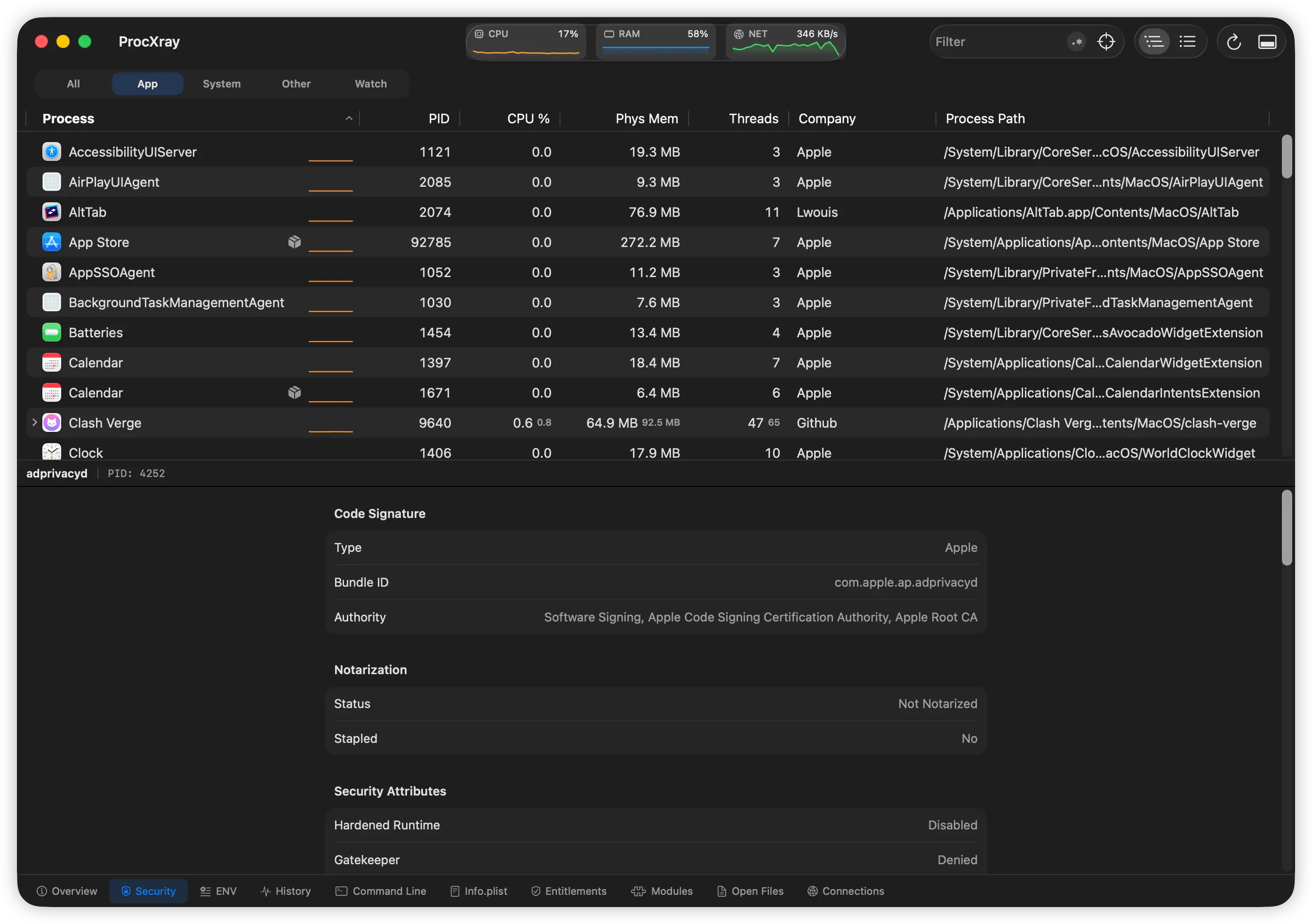
Control at your fingertips
Say goodbye to the terminal. ProcXray offers rich contextual interactions to handle complex system management tasks in an intuitive GUI.
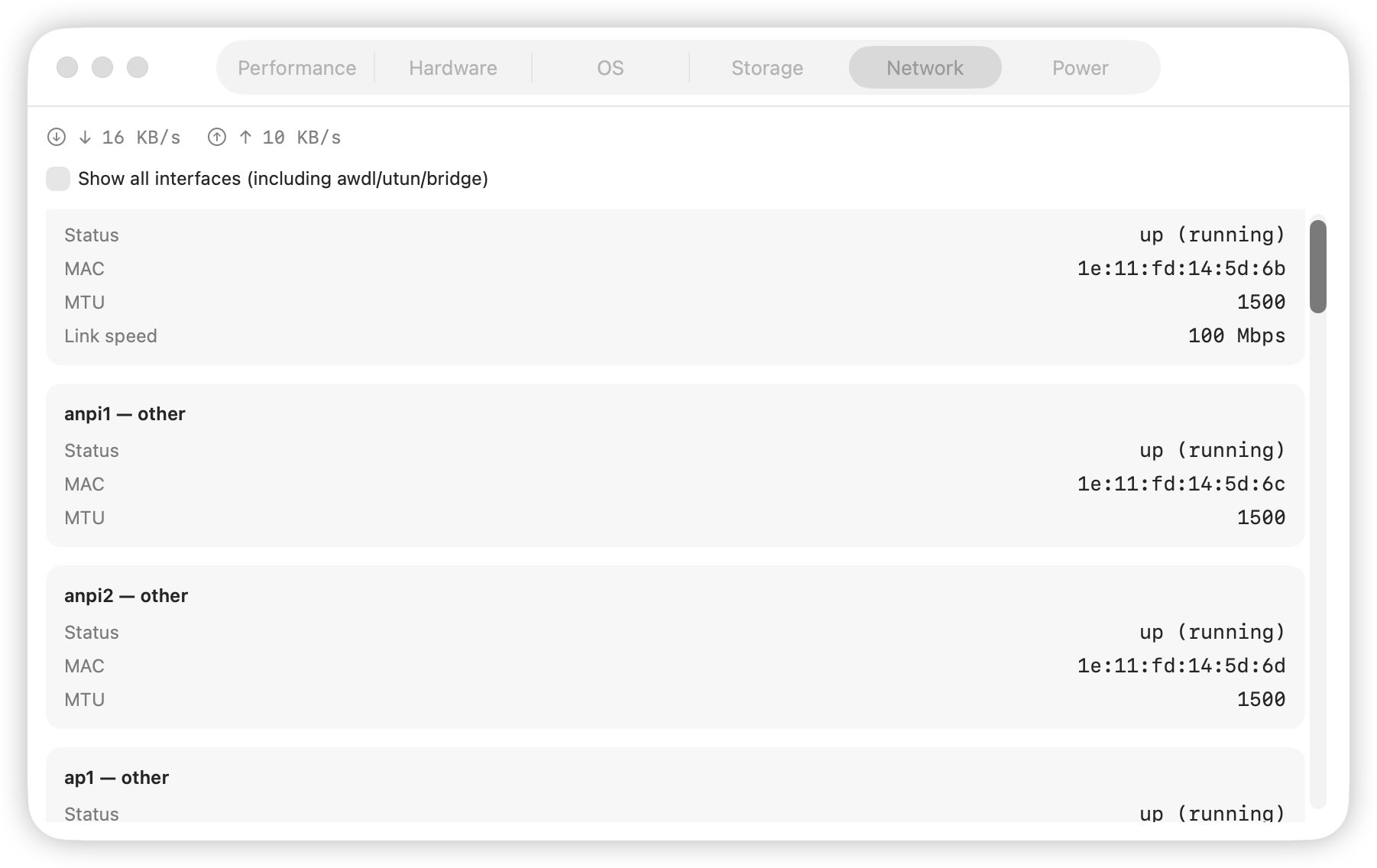
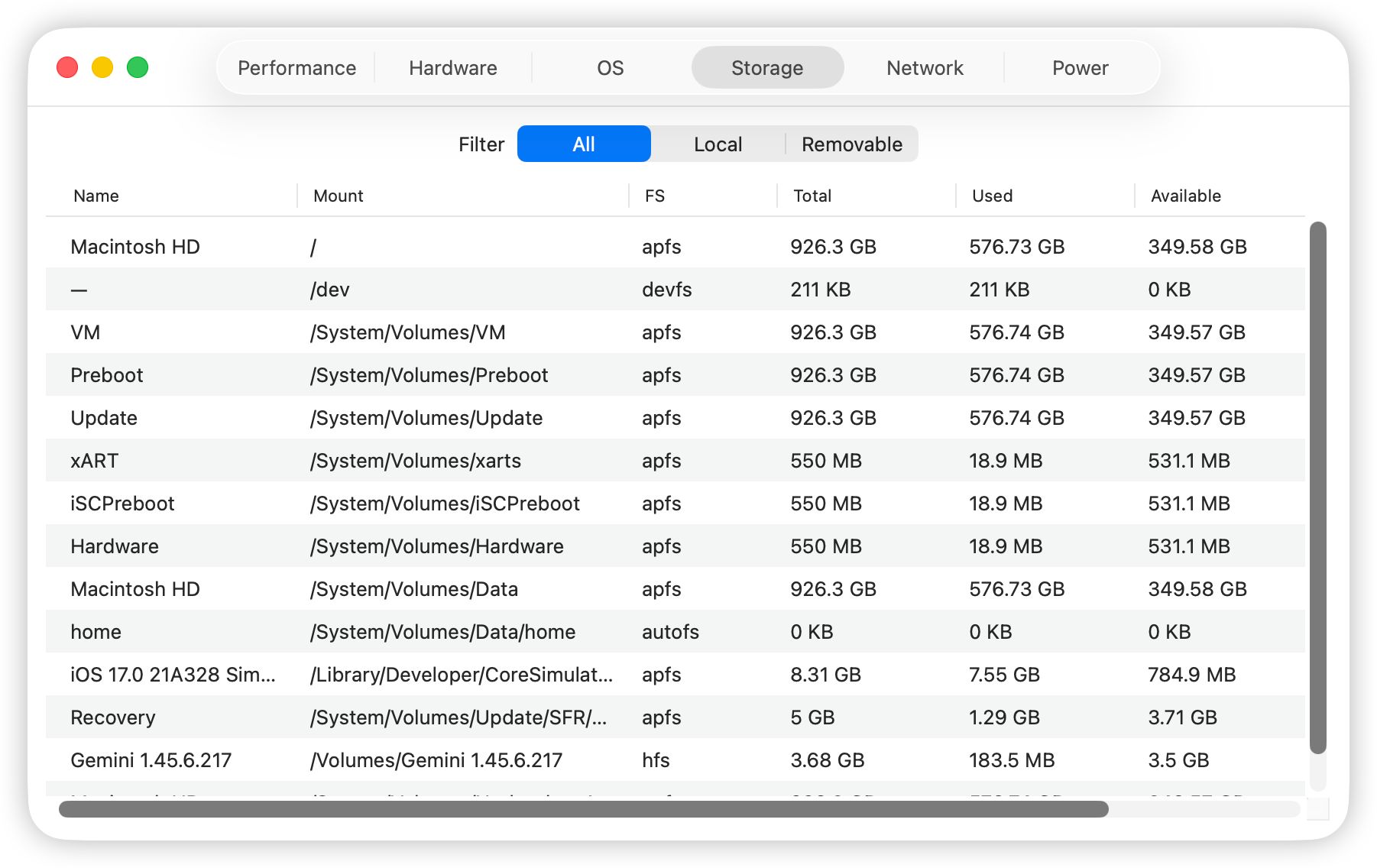
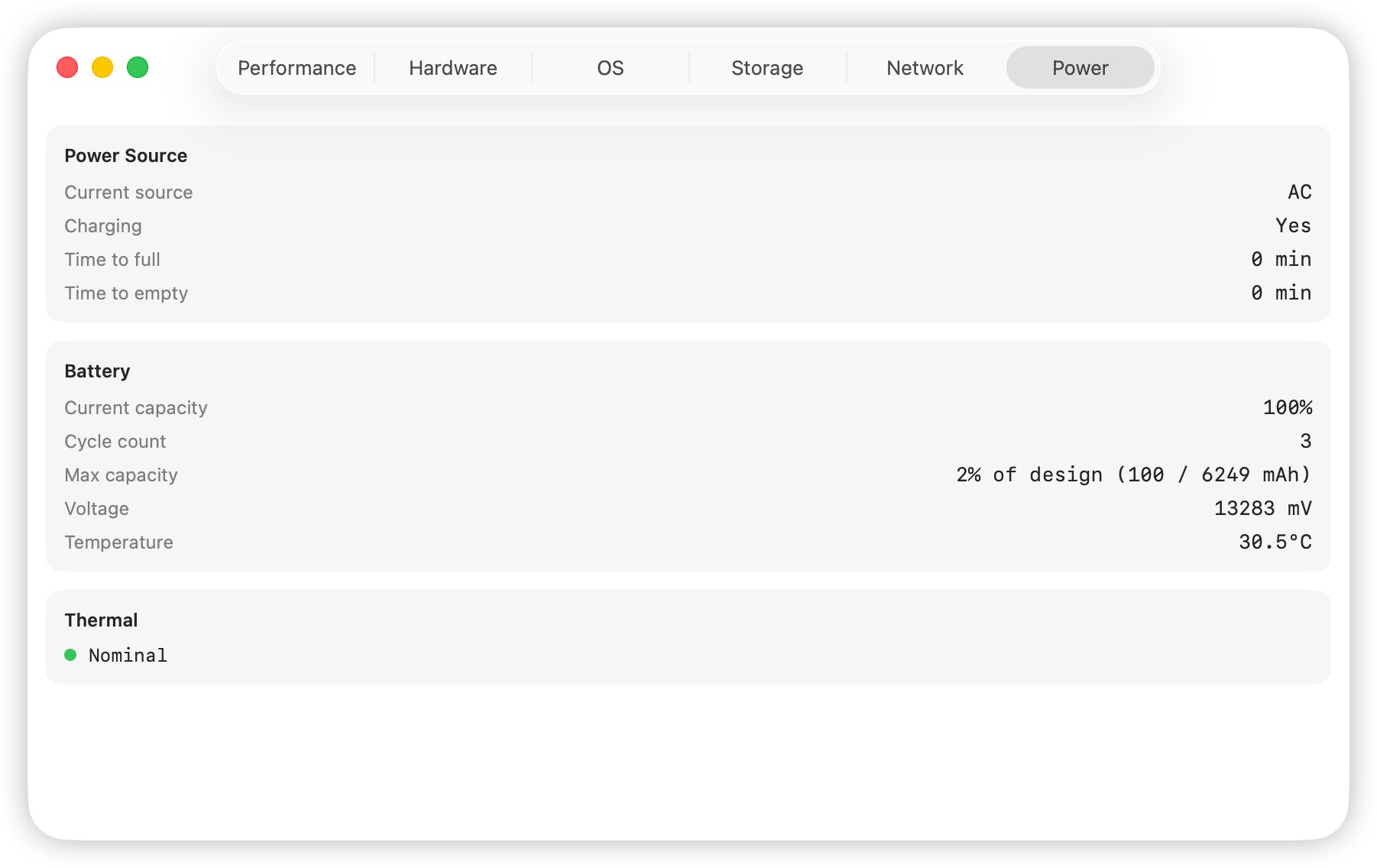
Complete System Dashboard
Network, CPU/GPU, Storage, and Power — see your entire Mac at a glance.
Goes far beyond Activity Monitor
Why developers choose ProcXray as an essential tool.
14-day free trial with all premium features unlocked.
| Feature Comparison | Activity Monitor | ProcXray |
|---|---|---|
| Basic performance charts & PID | ||
| Full process lineage tree | ||
| View all environment variables & paths | ||
| Real-time regex filtering & global search | ||
| Highlight & retain exited processes | ||
| Entitlements & security info | ||
| Inspect loaded Dylibs14-day trial | ||
| Network port binding & file monitoring14-day trial | ||
| Right-click context actions | ||
| History export (CSV / JSON)14-day trial | ||
| Native Apple Silicon optimization |
Simple, One-Time Pricing
No subscriptions. No hidden fees. Just one payment for everything.
one-time payment
Secure payment by Paddle
Frequently Asked Questions
Everything you need to know about ProcXray before you download.
Is there a free trial?
Yes. All basic features are free forever. ProcXray also offers a 14-day free trial with all premium features fully unlocked. After the trial, a one-time payment of $15 gives you a lifetime license with free updates forever — no subscriptions, no recurring fees.
Does ProcXray run natively on Apple Silicon?
Absolutely. ProcXray is a universal binary built with Swift and optimized for both Apple Silicon (M1–M4) and Intel Macs running macOS Sonoma 14 or later.
How is ProcXray different from Activity Monitor?
Activity Monitor shows basic CPU and memory stats. ProcXray goes further with full process trees, environment variable inspection, code signature verification, regex filtering, dylib listing, and real-time lifecycle tracking — all in one native interface.
Is ProcXray safe to install on my Mac?
Absolutely. ProcXray is code-signed and Apple notarized, so macOS Gatekeeper lets it run without warnings. It's a native SwiftUI app that uses only standard macOS APIs — no kernel extensions, no background daemons, and no data ever leaves your machine.
Quick diagnose your Mac issue
Common symptoms caused by background processes. Find the real cause and fix it with ProcXray.
kernel_task at 100%+ CPU
A thermal safeguard, not a bug. Find the process actually causing the heat.
Read guideWindowServer high CPU
Screen lag and a hot GPU? Find the app driving the load.
Read guidemds_stores eating CPU & disk
Spotlight's indexer. Tell normal indexing from a stuck process.
Read guideMac running hot, fan loud
Heat comes from a CPU or GPU hog. Find the real culprit.
Read guideChrome Helper eating memory
Each helper holds one tab, frame, or extension. Find the right one.
Read guideMac running slow
Diagnose high CPU, memory pressure, and disk I/O step by step.
Read guideTransform how you monitor your Mac.
Apple Notarized · Safe & Secure · macOS Sonoma+